CYCLIST CAFÉ × MCP
Your café.
Your assistant.
One conversation.
Why Cyclist Café has an MCP server,
how to use it, and when it helps.
A short introduction for customers, the café team and developers
Why we built it
A café question should be
easy to ask
“What’s on the menu?
Can I take it away?
What’s happening at the café?”
The idea: let a familiar conversation reach current café information.
Why we built it
Answers should come
from the café
The assistant
understands the request.
The café supplies the menu, listed options, prices and availability.
The customer checks the details before any order or RSVP is confirmed.
No invented products, prices, offers or reservations.
What MCP does
A common connection
for AI assistants
MCP means Model Context Protocol.
Works with clients that support remote MCP, subject to their account permissions.
When to use it
Three useful moments
Before you visit
Browse the menu and ask about listed choices or takeaway eligibility.
When you know your order
Build a takeaway bill, review it and confirm with the café.
When you want to join in
Find upcoming events and approve an RSVP.
Before you connect
Browsing and taking action
have different permissions
Browse publicly
Café status, menu items,
listed options and published events.
Act as yourself
Prepare a takeaway or RSVP,
then approve it on Cyclist.
You can explore first. Connect your account when you want to take action.
How to connect
One server address
- Add a remote MCP connectionUse ChatGPT, Claude or another compatible client.
- Connect your customer accountApprove only the permissions you want to use.
- Select Cyclist Café and askExact setup controls depend on your client and account.
How to browse
Start with the menu
YOU
“What’s new on the menu?”
ASSISTANT
Checks the current menu and helps you explore coffee, matcha or something sweet.
YOU
“Something iced. What can I take away?”
Example prompts · Ask for current choices; “new” labels may not be available.
How to order
A takeaway in four steps
- ChoosePick a current item, its options and quantity.
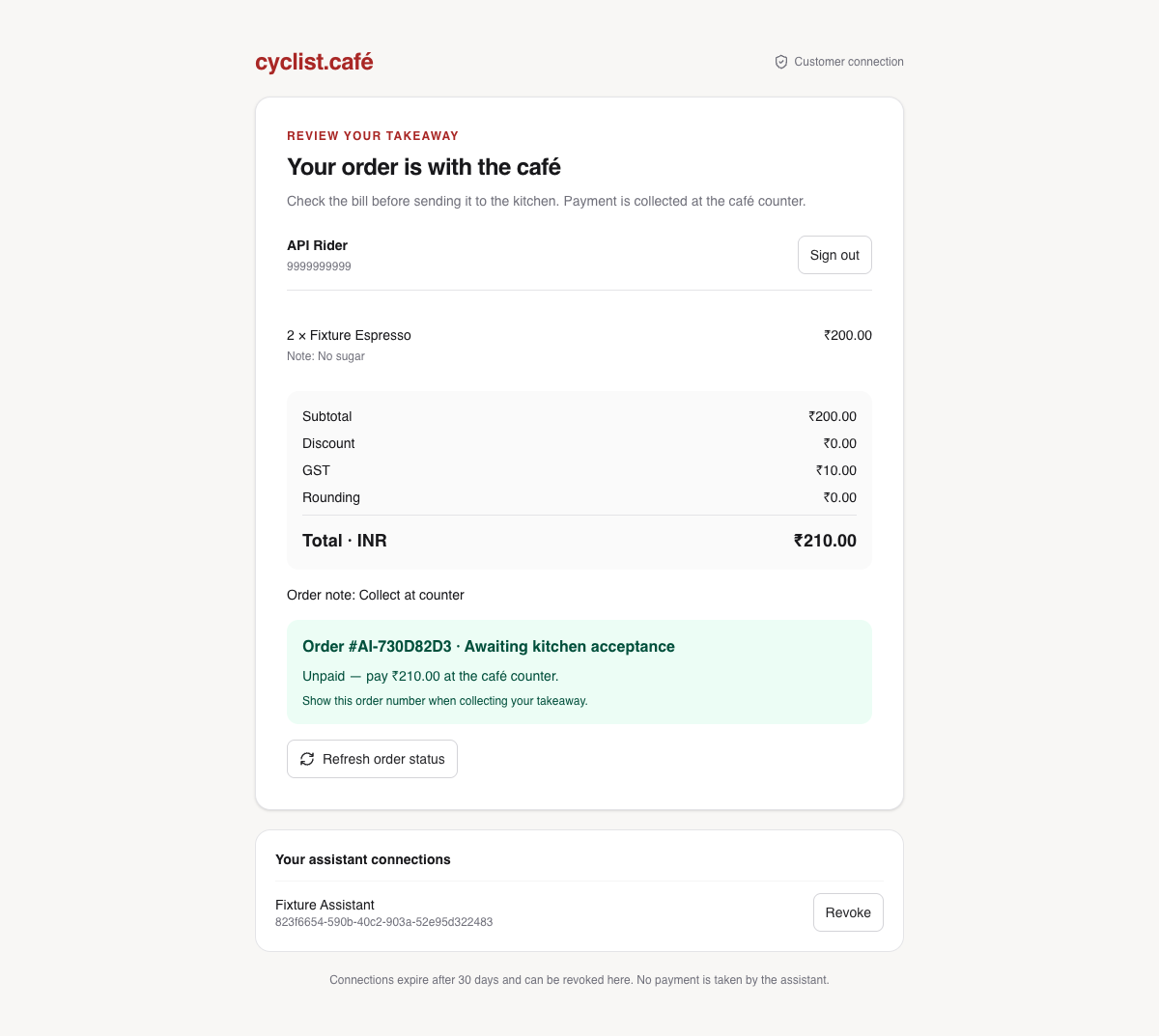
- Review the quoteCheck the priced bill, taxes and any valid saved coupon.
- Open the Cyclist linkVerify your identity and approve the exact order.
- Collect and pay at the caféTrack the submitted order through your assistant.
A prepared checkout link is not a submitted order. Quotes expire and do not hold stock.
The customer approval
Check the details.
Confirm on Cyclist.
Review items and options.
Check the final total.
Confirm, then track the result.
How to RSVP
Discover an event.
Choose your response.
Explore
Ask what’s coming up. Check the date, location and available places.
Choose
Going requests a place.
Interested records interest without reserving a seat.
Approve
Open the Cyclist link and confirm. Your registered People profile is required.
RSVP links expire after ten minutes. Capacity is checked at confirmation.
The customer approval
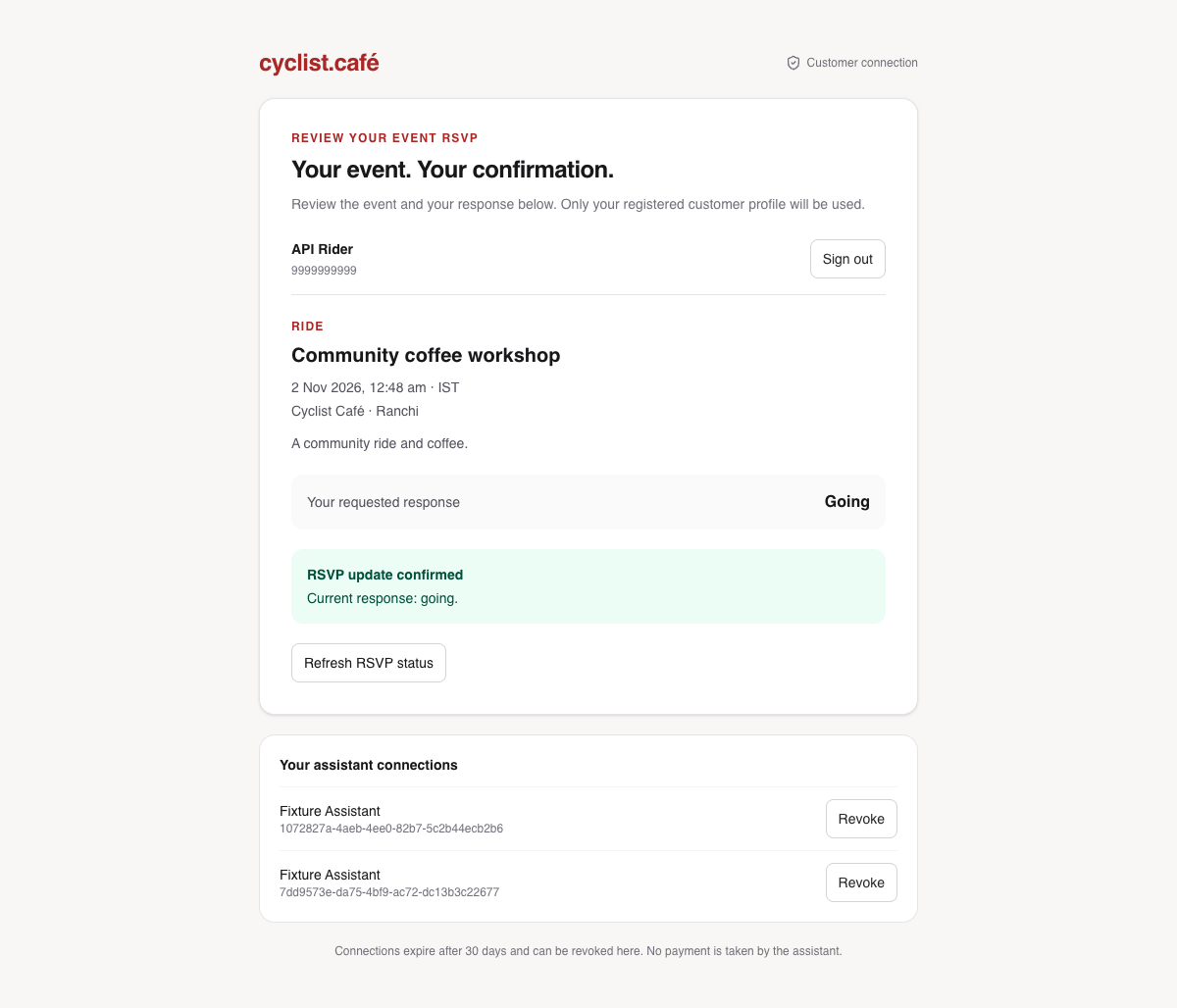
Your RSVP has
its own confirmation
Check the event details.
Choose your response.
Approve it on Cyclist.
At the café
The team keeps using
the existing workflow
Orders
Confirmed takeaways reach POS and Kitchen for staff to prepare and manage.
Events
Confirmed responses appear in Events and the customer’s People profile.
The same café operations.
MCP does not give customers access to staff actions, cash records or other people’s information.
Identity and control
Your account.
Your final say.
- Verify on CyclistEnter phone verification details on the trusted customer page.
- Approve specific permissionsBrowsing, quoting, checkout and RSVP have separate boundaries.
- Disconnect when you wantRevoke the assistant connection from the customer page.
Never share an OTP, password or access token in the assistant’s chat.
When to use another channel
Some requests need
the café directly
Use the café / existing app
Dine-in table requests, delivery,
online payment, loyalty redemption
and changes to submitted orders.
Speak to staff
Allergies, uncertain ingredients,
urgent help and unusual requests.
Dietary tags and AI recommendations do not guarantee allergen safety.
If something changes
Check the result
before trying again
- A link expired or an item changedAsk for a fresh quote or RSVP request.
- An event filled upCheck availability again before preparing another response.
- A confirmation timed outCheck order or RSVP status first; avoid duplicate submissions.
A link or an assistant message alone is not proof that an action completed.
A simple demonstration
Show the journey
in five minutes
- 01Ask for the menu and a takeaway-friendly option.
- 02Prepare a bill and open the customer review link.
- 03Ask about an upcoming event and prepare an RSVP.
- 04Show where a confirmed action appears in POS or Events.
Use a test environment for a demo. Preparing a link does not complete a booking or order.
Availability
The guide and the server
are separate
Publishing this presentation does not enable MCP.
Verified locally
Menu, takeaway and event flows.
RSVP in People and Events.
SMS identity proof was simulated.
Hosted rollout checks
Enable selected features in Setup.
Verify real client OAuth and SMS.
Test the complete hosted journey.
Availability is controlled by café admins. Check current rollout notes in the guide.
CYCLIST CAFÉ × MCP
Ask about the café.
Keep the final say.
Menu discovery · Takeaway planning · Events & RSVP